View and download your clinical portfolio
The Clinical Portfolio is a read-only summary of your clinical education records. It is not an official academic transcript or professional license.
Open your portfolio
- Sign in, open the phone menu, and tap Clinical Portfolio. You can also open it from Home.
- Review your student, institution, program, graduation date, verified clinical hours, completed rotations, and generated date.
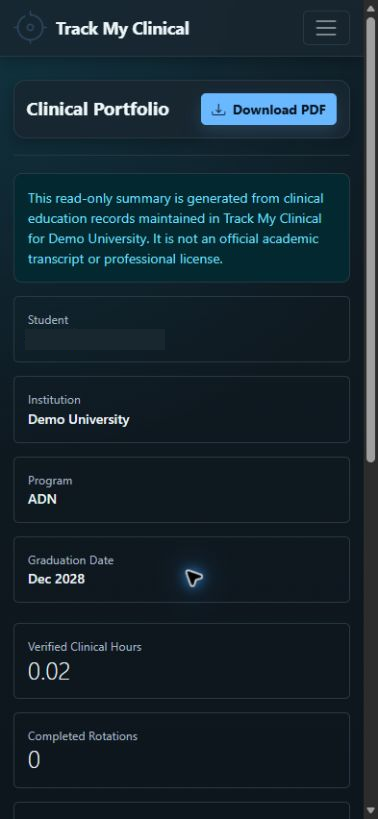
- Scroll through Clinical Experience, Approved Skills, Completed Evaluations, and Completed CheckOffs.
Understand what appears
The portfolio summarizes records according to their status. A newly saved skill with Pending review status is not yet an approved skill. An evaluation Awaiting Instructor Review is not yet a completed evaluation. An empty section can therefore be expected even when you have recently recorded work.
Review the source page when something seems missing:
- My Hours for attendance records.
- My Skill Log for skill entries and review status.
- My Rotations for evaluations, checkoffs, and rotation progress.
Contact your instructor or program coordinator if the underlying record or student information needs correction; the portfolio is not an editing form.
Download a PDF
Tap Download PDF at the top of the page. Use your browser's download controls to open or save the file. Check its contents before sharing it.
Screenshots use the mobile student demo. Your portfolio reflects the records available when it is generated.
Return to the student guides.