Save and complete an evaluation review
Roles: Course Coordinator or instructor assigned to the rotation group. Before you begin: An evaluation is assigned to your group's course.
Open the evaluation
- Open Rotations → your rotation.
- Expand your group and select Student Evaluations.
- Find the student and evaluation title. The table includes Status and Last Updated.
- Select the evaluation title. In the demo, Demo Clinical Reflection initially showed Not Started for Avery.
Save a draft
- Review the student's name, question, response field, and Instructor Comment.
- Enter the appropriate response and instructor feedback. This example uses explicitly labeled fictitious demo content and an instructor-started evaluation; it does not represent a student-submitted response.
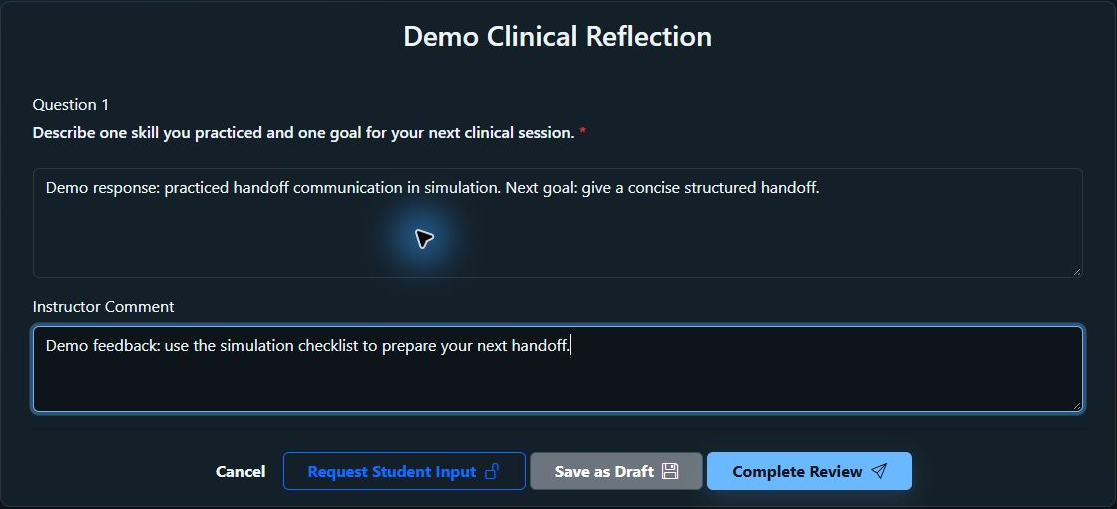
- Select Save as Draft.
- Confirm Evaluation draft saved and Draft in the group table.
- Reopen the evaluation to continue. The verified example retained both its response and instructor comment.
Complete the review
- Check the required response and feedback, then select Complete Review.
- Confirm Evaluation review completed and Complete in the group table.
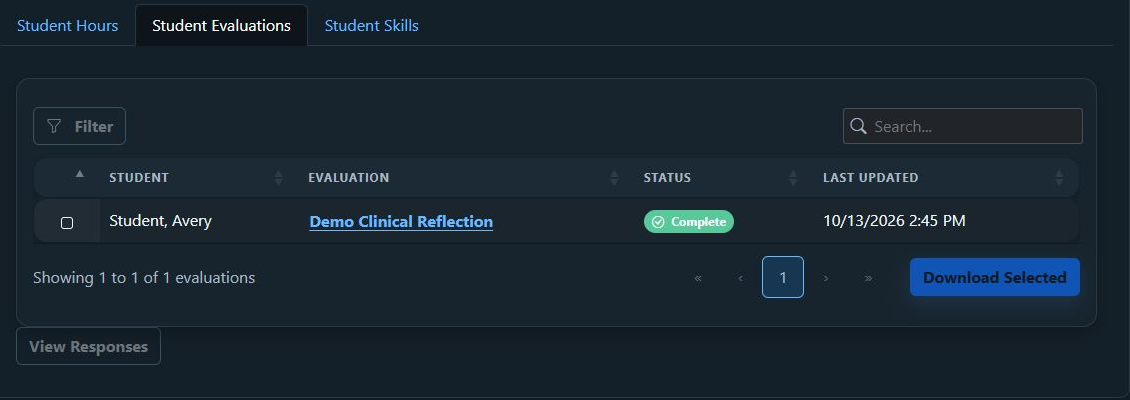
The form also offers Request Student Input and Print/PDF. The student submission guide is Complete an evaluation.
If you cannot find the evaluation
Check the rotation and group. Ask your coordinator to confirm the evaluation is assigned to the course and that you are assigned as an instructor.