Add a skills category
Roles: Administrator, Clinical Coordinator, or Course Coordinator.
Create categories to organize the skills students can log. Before starting, configure an active academic program with skill logs enabled. Create a competency map first if you want to associate one.
Steps
- Open Settings → Skills Categories → Add New → Manual Entry.
- Enter Text, the category's name. The demo uses Demo Communication Skills.
- Select Academic Program(s). The demo uses Help Demo Nursing (HDN).
- Optionally choose Competency Map. The demo selects Demo Communication Competencies.
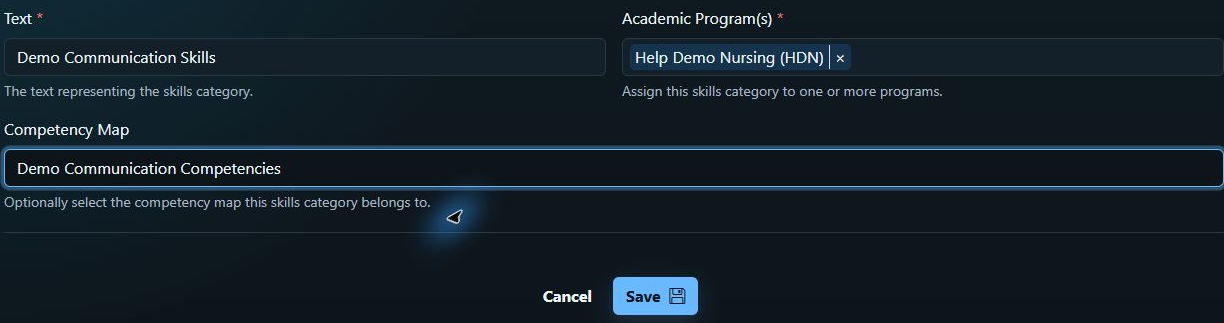
- Select Save.
- Confirm the success notification and the category's program, competency map, and Active status in Skills Categories.
- Select its Manage link to configure the category's skills.
Associate the category with your course
After setting up the skills category and adding its skills, you must associate the category with your course. Open Settings → Courses, select the course name to open Edit Course, select the category in Skill Category(ies), and Save. See Include skill categories for details.
Common problems
- Text and Academic Program(s) are required.
- Competency Map is optional. If a needed map is missing, verify its configuration before continuing.
- Bulk Upload and category reordering are available in the UI but were not exercised in this walkthrough.